Set Up Google Business Profile Yourself: Quick Start Guide
Set up your Google Business Profile yourself in under an hour. This easy DIY guide walks you through every step—no tech skills needed.
GBP
Jerry Blanco
10/27/20256 min read
Transform Your Online Visibility in Less Than an Hour—Even If You've Never Done This Before
You know that feeling when a potential client says, "I couldn't find you on Google"? It stings, especially when you're working so hard to grow your business.
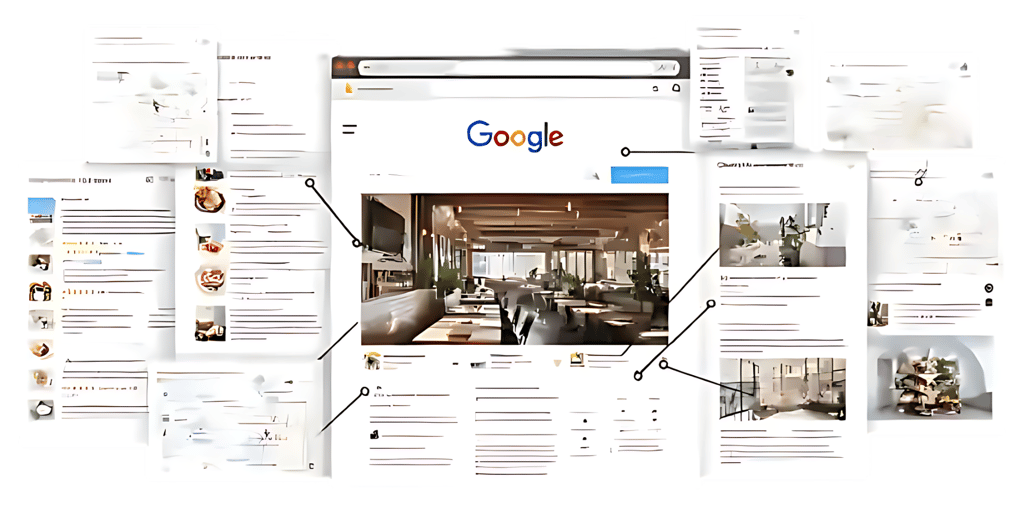
Here's the good news: setting up your Google Business Profile (GBP) is completely free, takes less than an hour, and can be the difference between customers finding you or your competitor. Whether you're a freelance graphic designer working from home, a two-person consulting firm, or a startup with a small team, this guide will walk you through every single step—no tech degree required.
Let's get your business on the map (literally).
Why Your Google Business Profile Matters More Than You Think
Before we dive in, let me paint you a picture. When someone searches "Mexican Restaurant near me" or "plumber in your hometown," Google shows a map with three businesses at the top. That's the "Local Pack"—prime real estate that drives phone calls, website visits, and walk-ins.
Without a Google Business Profile, you're invisible in these searches. With one, you're competing for those top spots. Plus, your profile shows up in Google Maps, displays your hours, lets customers leave reviews, and even allows them to message you directly.
Translation: It's your 24/7 digital storefront, and it costs you nothing.
What You'll Need Before You Start
Gather these items before you begin (it'll make the process smoother):
Business information: Your exact business name, address (if applicable), phone number, and website
Email access: You'll need to verify your email
Your phone: For receiving verification codes
45 minutes of uninterrupted time: Seriously, put your phone on "Do Not Disturb"
Step 1: Claim Your Business (or Create a New Profile)
First things first: your business might already exist on Google. Previous owners, customers, or even Google itself may have created a listing.
Here's what to do:
Go to google.com/business and sign in with your Google account (create one if you don't have it)
Click "Manage now" or "Add your business to Google"
Type your business name in the search bar
If your business appears: Click on it and select "Claim this business." You'll need to verify ownership (we'll cover that in Step 3).
If your business doesn't appear: Click "Add your business to Google" and you'll create a brand-new profile.
Common Mistake to Avoid: Don't create duplicate listings! If your business shows up, claim the existing one rather than making a new profile. Multiple listings confuse Google and hurt your visibility.
Step 2: Fill Out Your Business Information (This Part Is Critical)
Now you're filling out the basics. Think of this as your first impression—accuracy matters.
Business Name
Use your legal business name or the name customers know you by. Don't stuff keywords here (like "Joe's Plumbing | Best Emergency Plumber in Austin"). Google will penalize you for it.
Business Category
This is huge for showing up in relevant searches. Start typing and Google will suggest categories. Pick the most specific one that fits. For example:
"Mexican Restaurant" (not just "Restaurant")
"Wedding photographer" (not just "Photographer")
"Coffee shop" (not "Restaurant")
You can add secondary categories later, but your primary category tells Google what you do.
Location
Service-area businesses (you go to clients): Select "I deliver goods and services to my customers" and list the areas you serve. Don't use a home address if you don't want clients showing up at your door.
Storefront businesses: Enter your physical address exactly as it appears on official documents. Consistency across the web (your website, social media, directories) helps Google trust your information.
Home-based businesses: You can hide your address and just show your city. Perfect for freelancers and consultants who meet clients elsewhere.
Contact Information
Phone number: Use a direct line customers can actually reach you at
Website: Link to your homepage or a dedicated landing page
Hours: Be specific. If you're appointment-only, you can indicate that
Pro Tip: Add special hours for holidays ahead of time. Nothing frustrates customers more than driving to a "closed" business that Google said was open.
Step 3: Verify Your Business (This Step Can't Be Skipped)
Verification proves you're the actual owner. Google offers several methods:
Postcard Verification (Most Common)
Google mails a postcard with a 5-digit code to your business address. It usually arrives within 5-7 days. When it does, sign into your profile and enter the code under "Verify location."
Important: Don't change your business name, address, or category before the postcard arrives—it could delay verification.
Other Verification Methods
Depending on your business type, you might see options for:
Phone verification: Receive a code via automated call or text (available for some businesses)
Email verification: Get a code sent to your business email
Video verification: Record a video walkthrough of your business (for certain categories)
Instant verification: If you've already verified your website with Google Search Console, you might qualify
If you see multiple options, pick the fastest one!
Common Mistake: Some people skip verification and wonder why their profile isn't showing up. An unverified profile won't appear in local searches—it's invisible.
Step 4: Optimize Your Profile (Where the Magic Happens)
Congratulations! Your profile is verified. But you're not done yet. A bare-bones profile won't attract customers. Let's make yours shine.
Add Photos
Businesses with photos receive 42% more requests for directions and 35% more clicks to their website. Upload:
Your logo (appears as your profile picture)
Cover photo (exterior shot or your team)
Interior photos (if applicable)
Photos of your products/services
Team photos (builds trust)
Quick Tip: Use high-quality, well-lit photos. Blurry smartphone shots won't cut it.
Write a Compelling Business Description
You get 750 characters to explain what you do, who you serve, and what makes you different. Write for humans, not search engines.
Example: "Experience the true flavors of Mexico at Casa de Abuela, where every dish is crafted with love and tradition. From sizzling fajitas and street-style tacos to our homemade salsas and hand-pressed tortillas, we bring you the rich, authentic taste of Mexican cuisine. Family-owned and operated, we take pride in using fresh, high-quality ingredients and time-honored recipes passed down through generations. Whether you’re dining in, ordering takeout, or celebrating with friends, you’ll always be treated like family at Casa de Abuela — your local destination for real Mexican food made from the heart.”
Include keywords naturally, but prioritize clarity.
Add Attributes
These are special features like:
"Women-led"
"Online appointments available"
"Veteran Owned"
"Free Wi-Fi"
Select the ones that apply to your business. They appear as tags and help customers make informed decisions.
Create Your First Post
Google Business posts work like mini social media updates. Share:
Special offers or promotions
Events or workshops
New products or services
Helpful tips
Posts expire after 7 days, so plan to update regularly (once a week is ideal).
Step 5: Publish and Monitor Your Profile
Click "Publish" and your profile goes live! But this isn't a "set it and forget it" situation.
What to Do Next:
Respond to reviews: Thank people for positive reviews and address negative ones professionally (we'll cover review management in a future post)
Update information: Change hours, add services, upload new photos quarterly
Check insights: See how customers find you (searches, calls, direction requests)
Answer questions: Customers can ask questions publicly—respond quickly to build trust
Common Mistakes That Tank Your Visibility
Let's talk about what not to do:
Keyword stuffing your business name: "Sarah's Photography | Best Wedding Photographer | Houston Headshots" looks spammy and violates Google's guidelines
Using a P.O. Box or virtual office: Unless you physically work there, this can get your profile suspended
Ignoring reviews: Not responding signals you don't care about customers
Inconsistent information: If your phone number differs across your website, Facebook, and GBP, Google gets confused
Choosing the wrong category: A "consultant" vs. "business consultant" can make a huge difference in who finds you
Your Action Plan: What to Do Right Now
Don't let this information overwhelm you. Here's your simple next step:
Today: Go to google.com/business and start the claim/creation process. Even if you only complete Step 1, you're making progress.
This week: Complete verification and fill out all basic information (name, category, location, hours, phone).
Next week: Add 10-15 high-quality photos and write your business description.
Remember, a complete profile is 2.7 times more likely to be considered reputable by customers. You're building trust with every detail you add.
Need Help Getting This Right?
Setting up your Google Business Profile is just the beginning. Optimizing it to actually attract customers—showing up in the top 3, getting 5-star reviews, creating compelling posts—requires ongoing strategy.
If you're juggling your business and don't have time to master Google's algorithm, I help small businesses optimize their profiles to increase visibility and attract more customers
Ready to get started? Follow the steps above and you'll have your profile live within the hour. Remember, setting up your profile is just the beginning—ongoing optimization is what gets you to the top of local search results. If you'd like personalized guidance on setup or optimization strategies, schedule a free 15-minute consultation to discuss your goals
Your next customer is searching for you right now. Let's make sure they can find you.